
Lab Console Guide
AAW Lab console: console.aawlab.com.
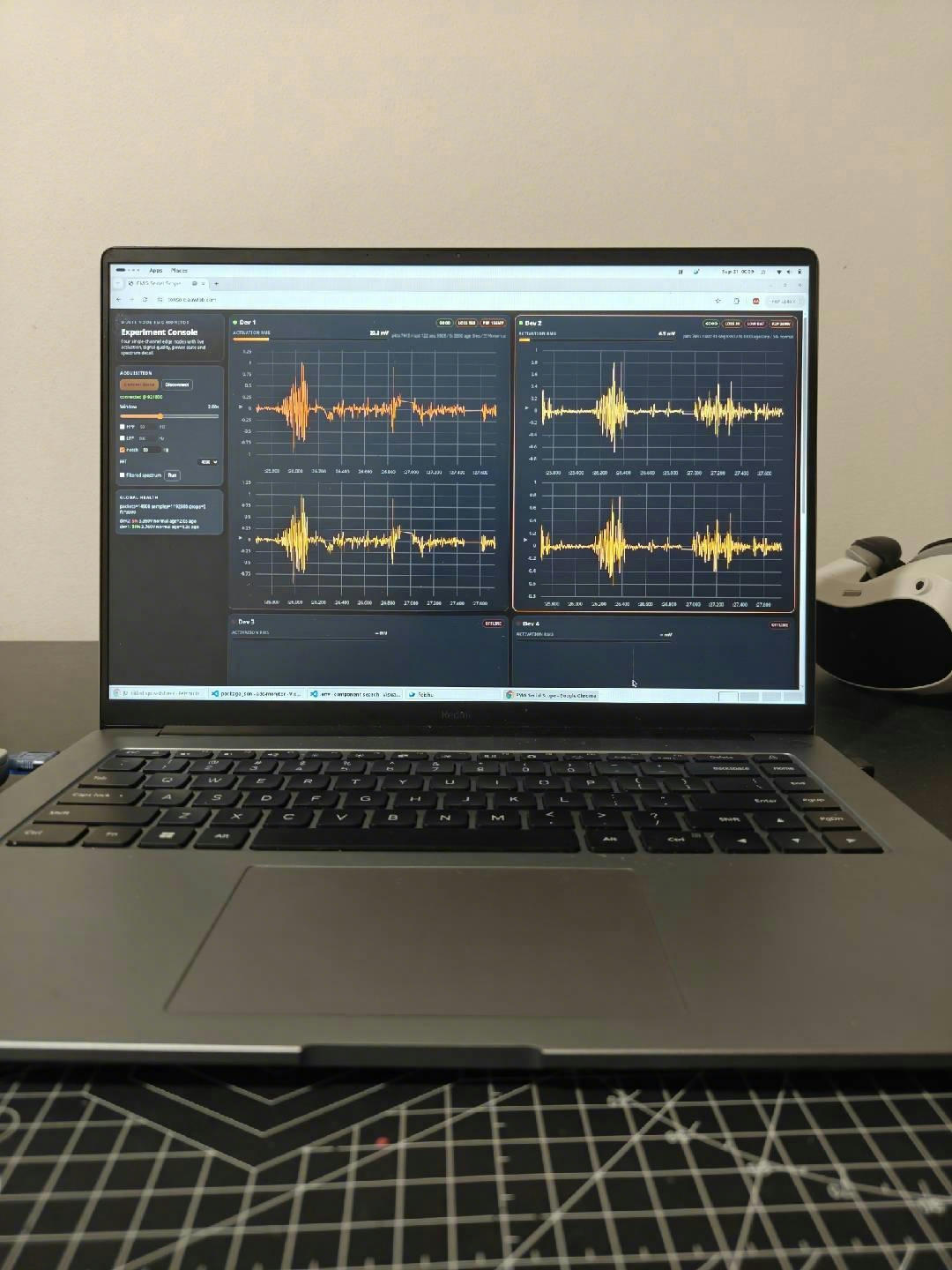
Use it to view real-time EMG waveforms, observe relaxed / activated changes, and diagnose wiring, electrode, and power issues.
Supported device paths
Section titled “Supported device paths”| Device | How it connects |
|---|---|
| AAW sEMG Wireless | Dongle plugs into the computer; select its serial port in the browser. |
| AAW sEMG Flex | Connect Flex to ESP32 / STM32 / another MCU first; the MCU sends ADC data. |
Wireless steps
Section titled “Wireless steps”- Plug in the Dongle.
- Turn on the Edge and confirm it is connected to the Dongle.
- Open console.aawlab.com on a desktop browser.
- Select the Dongle serial port.
- Relax, then clench or bend the wrist and watch the waveform.
Flex through ESP32
Section titled “Flex through ESP32”Use esp32-emg2-serial-monitor:
- Flex
Sto ESP32GPIO34or another ADC input. - Flex
Gto ESP32GND. - Power Flex with low-noise
5 V. - Flash the
esp32-emg2-serial-monitorexample. - Select the ESP32 serial port in the console.
The example defaults to 1000 Hz, 921600 baud, and EMG2 binary packets.
What to look for
Section titled “What to look for”| Observation | Meaning |
|---|---|
| Relaxed low, activated high | Main chain works. |
| Flat line | Signal is not being read, ADC input is wrong, or device sends no data. |
| Large noise | Check electrode contact, power, and nearby noise sources. |
| Lag or stutter | Check sample rate, baud rate, and browser serial connection. |
Common parameters
Section titled “Common parameters”- Flex + ESP32
EMG2:921600baud,1000 Hz. - Arduino / ESP32 Teleplot examples: usually
115200baud, text such as>emg:2048. - Wireless raw data: use Dongle serial.
Troubleshooting
Section titled “Troubleshooting”- Wireless no data: Troubleshooting Table
- Flex no waveform: Wiring Quick Start
- Noise or flat line: Noise and Flatline