
ESP32 EMG Sensor Module Guide
ESP32 is useful for EMG projects because it can combine signal acquisition, wireless streaming, and browser-based waveform display in one compact setup.
The main challenge is signal quality. EMG signals are small, and first tests often fail because of electrode contact, noisy power, ADC range, or sampling instability.
ESP32 EMG Project Options
Section titled “ESP32 EMG Project Options”There are two common ways to build an ESP32 EMG project:
| Setup | Notes |
|---|---|
| EMG front end into ESP32 ADC | Simple wiring, but ADC behavior and noise must be checked carefully. |
| EMG front end into external ADC, then ESP32 | Usually easier to control sampling and input range. Better for reproducible tests. |
For early experiments, prioritize stable sampling and visible waveforms over compact packaging.
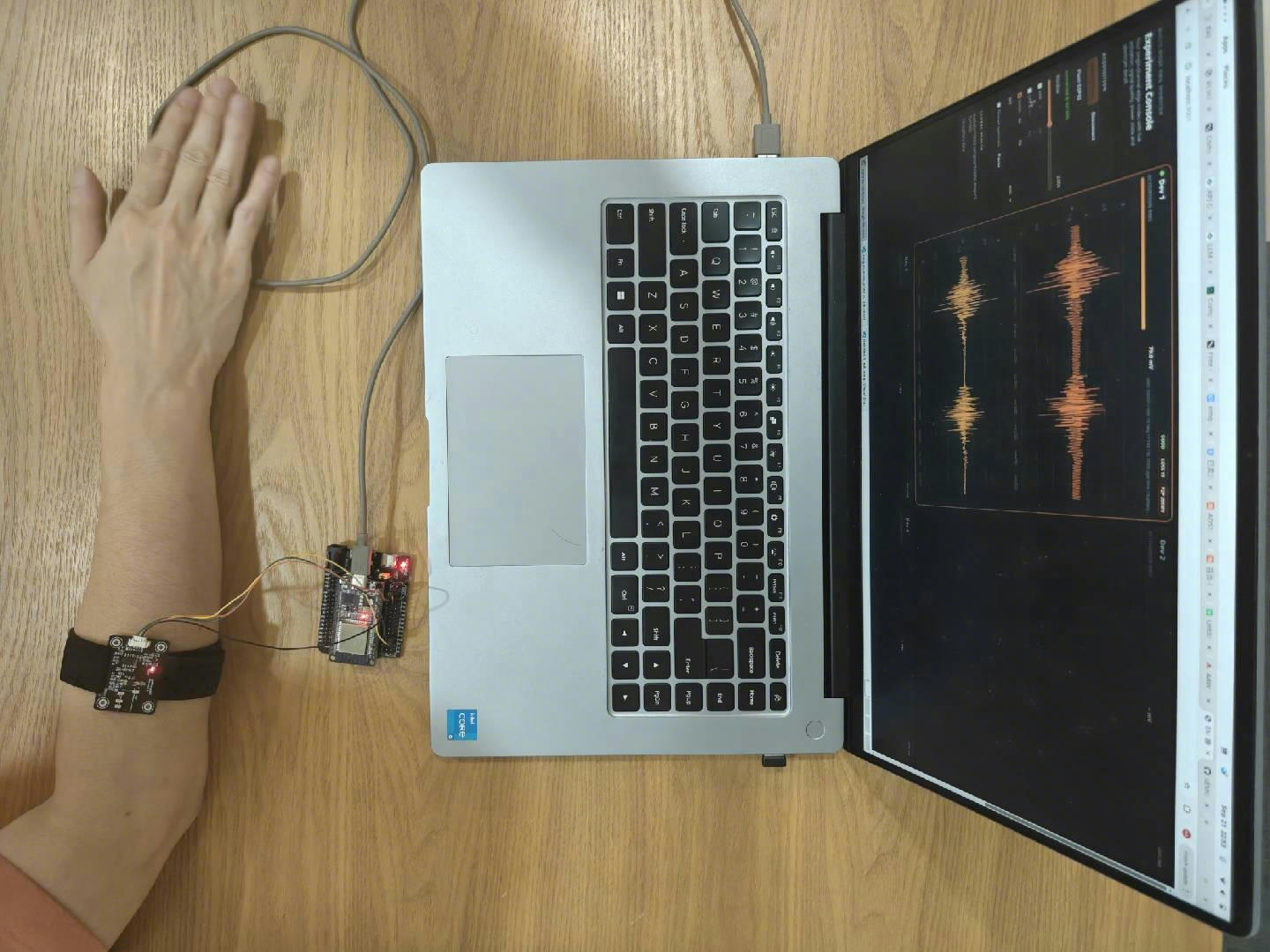
Minimum analog-front-end system: AAW sEMG Flex on the arm, ESP32 DevKit for ADC sampling, and a laptop displaying the waveform.
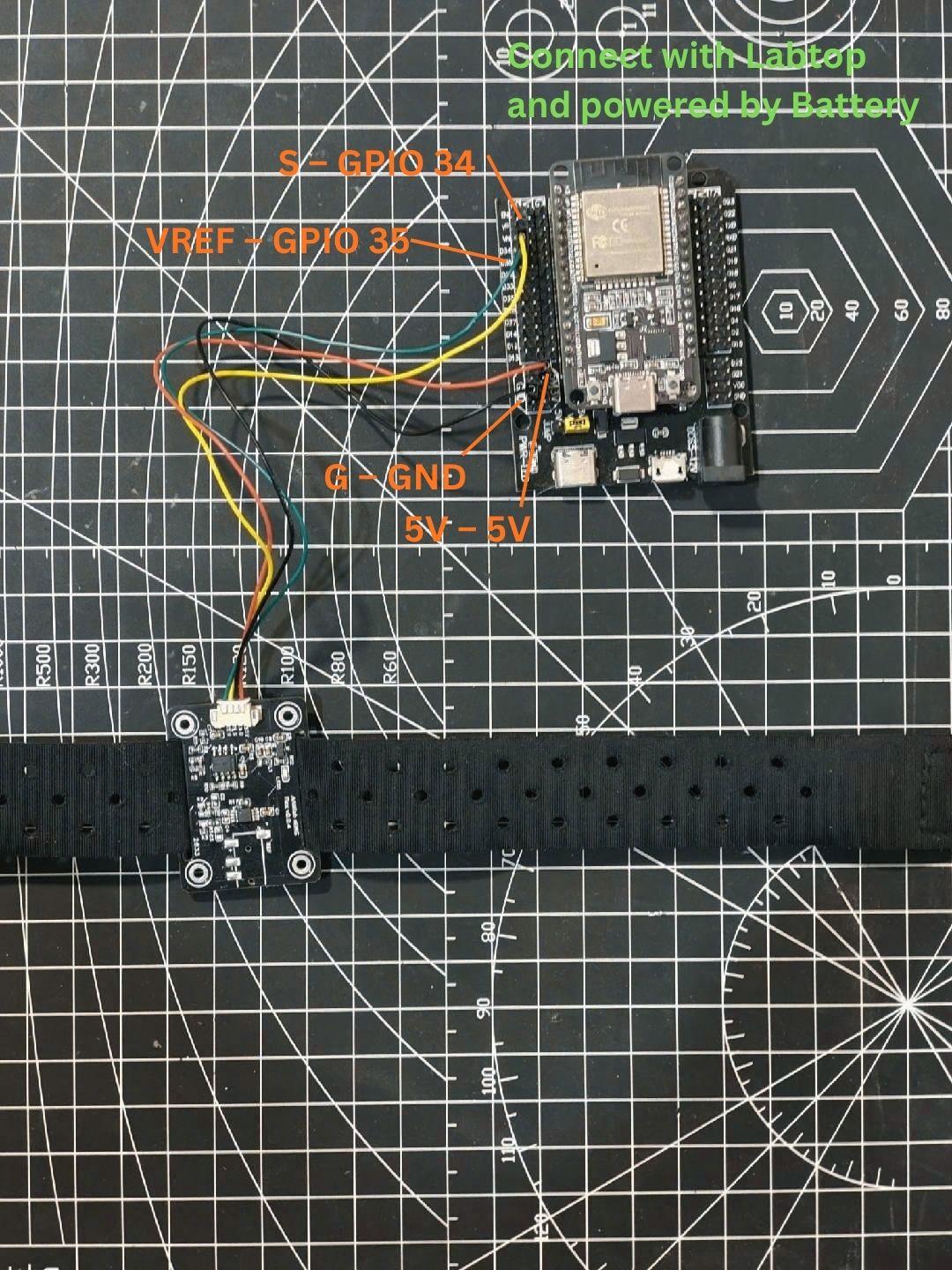
Recommended wiring example: AAW sEMG Flex analog output connected to an ESP32 DevKit ADC input.
You can flash the ESP32 from a computer browser on console.aawlab.com.
| AAW sEMG Flex | ESP32 DevKit |
|---|---|
| 5V | 5V |
| G | GND |
| S | GPIO34 |
| VREF | GPIO35 or another unused ADC input |
Connect VREF to an unused ADC input such as GPIO35; this is recommended instead of leaving VREF floating.
What To Check First
Section titled “What To Check First”- The EMG front-end output range fits the ADC input range.
- The signal has a reasonable midpoint instead of sitting at the rails.
- Sampling rate is stable enough for the waveform you want to observe.
- Wi-Fi activity, USB power, and nearby electronics are not dominating the signal.
- Electrode placement creates a clear change when the target muscle contracts.
Recommended AAW Lab Modules
Section titled “Recommended AAW Lab Modules”Use AAW sEMG Flex if you want to debug the analog signal chain and compare electrode styles.
Use AAW sEMG Wireless if you want a faster wireless workflow with acquisition hardware and live waveform software.
First Wireless Workflow
Section titled “First Wireless Workflow”- Use wet electrodes for the first test.
- Run the acquisition board from battery power.
- Open the live waveform software.
- Relax your hand, then make a fist.
- Confirm that waveform amplitude changes with muscle contraction.
If the result is flat, clipped, or noisy, use Noise and Flatline.
Related Searches
Section titled “Related Searches”If you are comparing ESP32 EMG sensor, wireless EMG sensor, or surface EMG sensor for ESP32, start with the Buying Guide and AAW sEMG Wireless.